26 parallel wipings
Atola TaskForce 2 securely wipes up to 26 drives simultaneously at their top native speeds using one of the standard wiping methods, thus achieving a cumulative speed of up to 100 TB/h.
All of its 26 drive ports can be used for parallel wiping sessions, including:
- 4 NVMe M.2/U.2 PCIe 4.0,
- 8 SATA,
- 8 SAS/SATA,
- 4 USB,
- 1 IDE,
- 1 Extension slot for Apple PCIe SSD and M.2 NVMe/PCIe/SATA SSD extension modules.
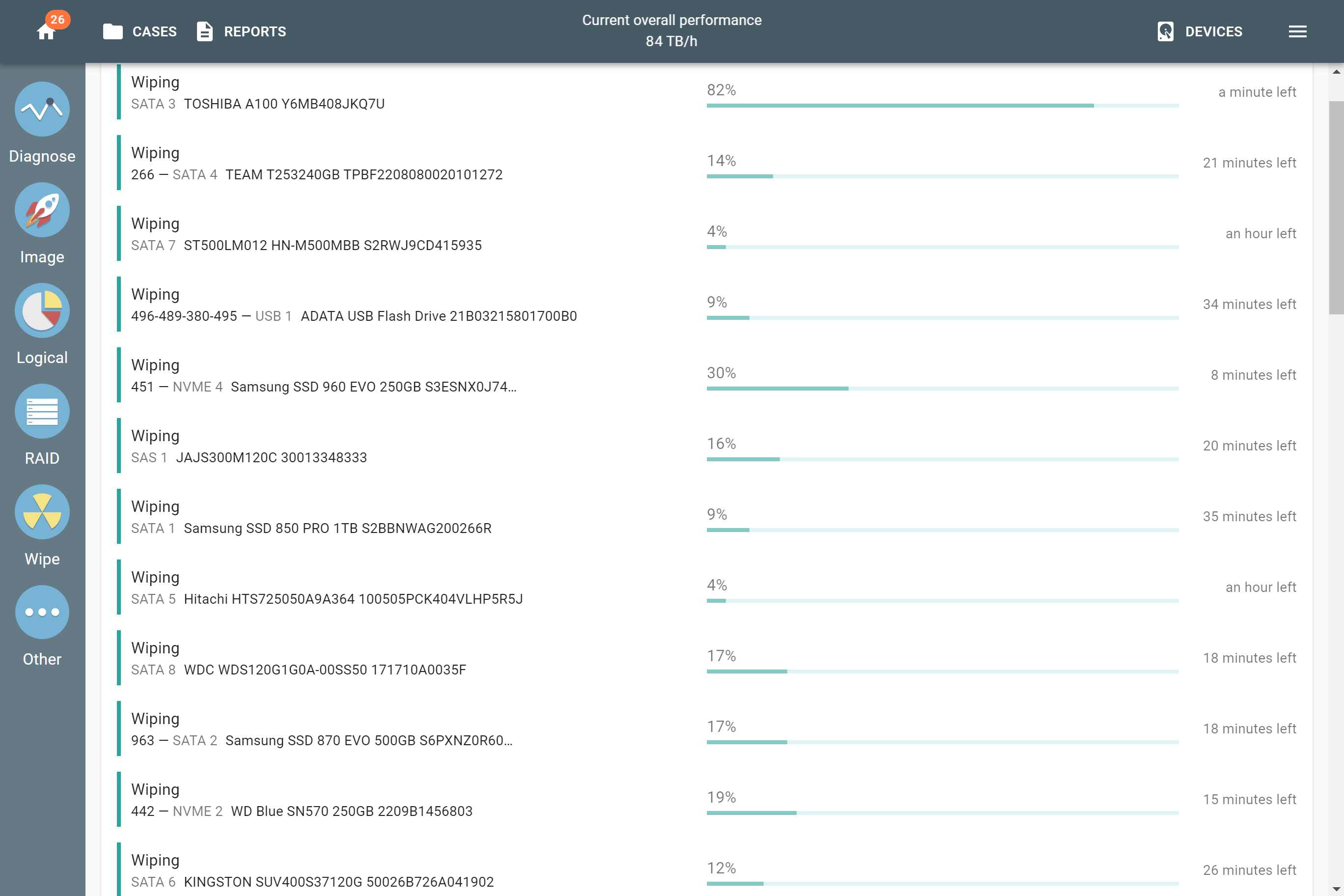
Wiping 26 drives simultaneously in Atola TaskForce 2.
Secure wiping
For an additional layer of security, each drive port of TaskForce 2 has a physical write protection switch. Only the drives connected to the ports in Target mode with disabled write protection can be erased.
TaskForce 2 supports the following methods for complete and secure drive wiping:
- Secure Erase / Format NVM / Sanitize,
- Pattern,
- NIST 800-88,
- DoD 5220.22-M,
- Random,
- LBA number.
The 'Format to exFAT' option can be enabled to automatically create a corresponding partition when the wiping is complete.
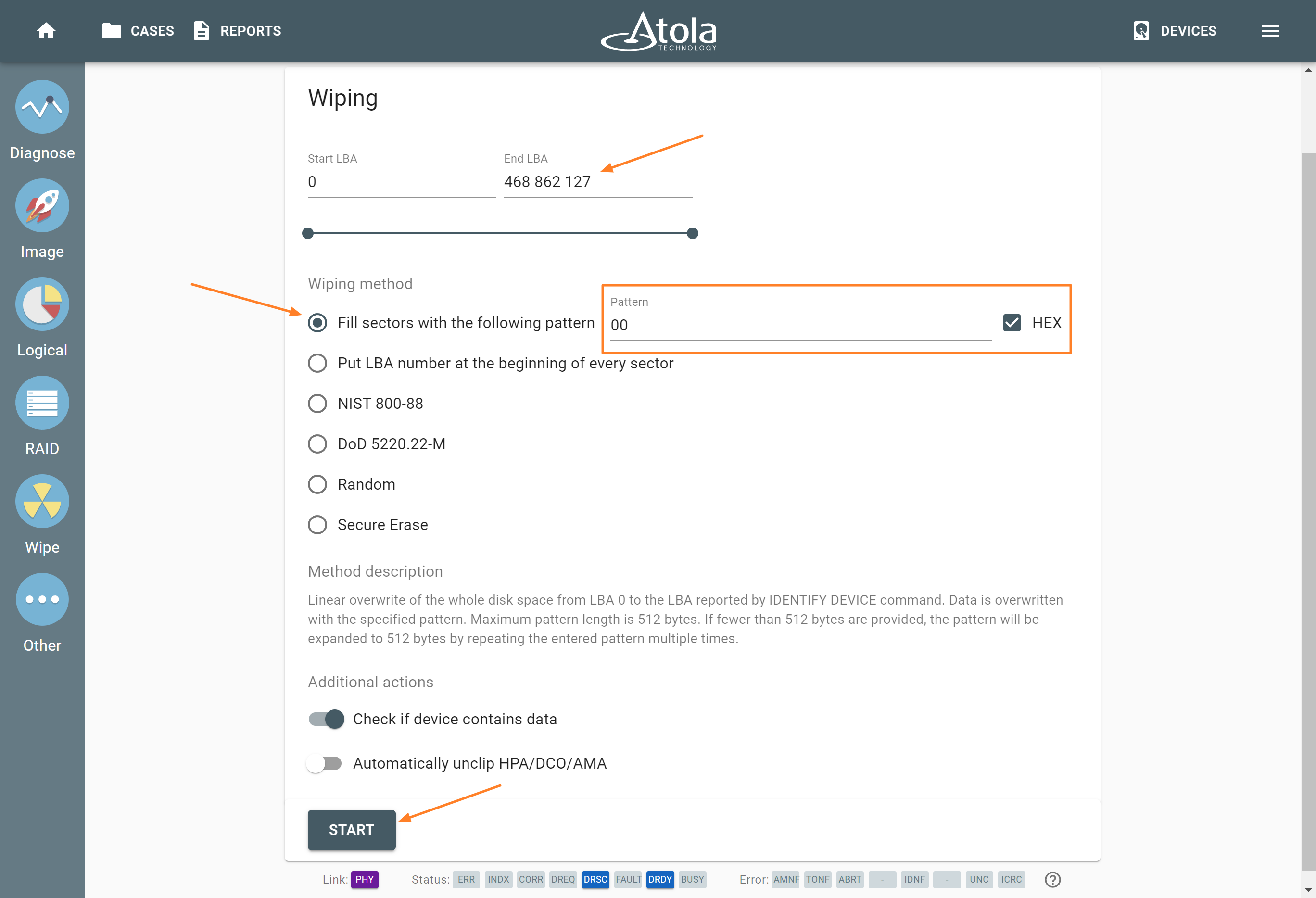
Selecting the wiping method.
To verify that wiping is successful, TaskForce applies the following algorithm:
- One hundred sectors, evenly spaced across the wiping range, are filled with the verification ASCII pattern 'AtolaTechnology'.
- The whole drive or a selected range of sectors on it is wiped by applying the method selected by the user ('Fill sectors with the following pattern' by default).
- Finally, TaskForce reads the hundred sectors that were filled during the first step and makes sure that none of them contains the pattern 'AtolaTechnology'.
Launching multiple wiping sessions
To quickly launch the simultaneous wiping on multiple drives, enable the Multi-launch option and select the desired drives. This feature lets TaskForce users start wiping all selected drives with a single click. For security reasons, drives plugged into ports with enabled write protection cannot be selected for wiping.
Case details for every wiped drive
With the Set case details before task start option, TaskForce 2 asks for case details before launching Multi-launch wiping. All drives selected in a Multi-launch session can be assigned to the same case in one step. Use the Select all button to pick every available drive at once.
Keeping track of wiping progress
Once the operations have started, track the progress of all the sessions on the Home screen. It indicates the percentage of the wiped drive area and the estimated time left of the session. To see more details about the progress of an individual wiping session, click on that session.
For maximum transparency and effectiveness, TaskForce 2 documents every wiping operation by creating detailed reports and logs. They are available on the Reports page.
Branded wiping reports for ITAD and eRecycling
IT asset disposition (ITAD) and eRecycling companies can use wiping reports in their own format. Import your HTML report template into the TaskForce , preview it, and select it when starting a wipe.
The HTML report templates supports dynamic variables, such as the date, wiping result, drive information, case data, which TaskForce 2 fills in automatically for every wiped drive. This way, each erasure certificate your customers receive carries your company branding and layout.