Atola Boot Image
Acquire the internal drives of a laptop or server without removing them.
Boot the target PC from a USB stick with this image: it write-protects the drives and exposes them over iSCSI for imaging with Atola TaskForce 2, Atola TaskForce, or Atola Insight Forensic.
How it works
After you boot a server or laptop from the USB image, three steps run automatically:
1. Write protection
All internal drives except the USB boot drive become write-blocked.
2. iSCSI targets
Protected drives are exposed on the network as iSCSI targets.
3. IP on screen
The PC's IP address is shown so you can connect from an Atola imager.
Then select the remote drives from your Atola imager.
Image or/and triage them as you would with any other source drive.
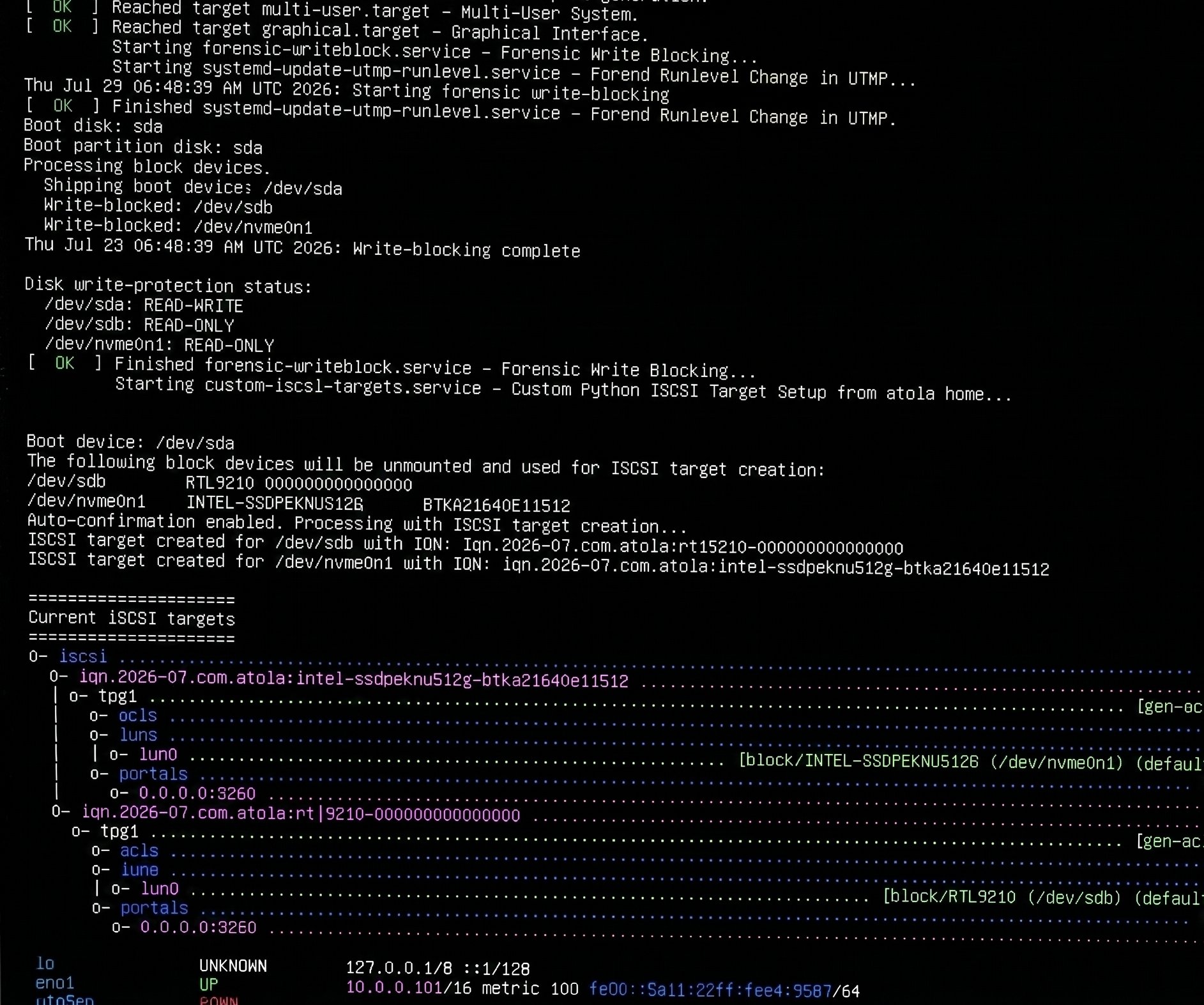
Internal drives are write-protected, shared over iSCSI, and the IP address is shown.
Imaging remote drives with Atola systems via iSCSI
Typical use cases
- Drives soldered to a motherboard, including eMMC storage in laptops and tablets
- Servers or workstations you have legal access to but cannot seize
- Systems where physically removing disks would be risky or time-consuming
Remote computer requirements
Real-world compatibility depends on the remote PC, not on a fixed list of drive models:
- The computer must have an x86-64 (x64) CPU (ARM processors are not supported).
- The computer must be able to boot from USB.
- Linux drivers must be available for its storage controller and network interface.
- The operating system must see the storage devices you intend to acquire.
- There should be no blockers such as an unsupported RAID controller or hardware encryption that keeps the drives inaccessible.
Advanced use: standalone script
For custom Linux environments, you can use the standalone iscsi-targets Python script (for example on Paladin, CAINE, or Tsurugi).