Synology NAS RAID auto reassembly
Synology NAS RAID is a popular network storage solution. It has a complex structure and can include several RAIDs combined via LVM (Logical volume manager) and SHR RAID management system.
Atola TaskForce can automatically detect the configuration of a Synology NAS RAID array and perform immediate forensic RAID reconstruction.
To automatically reassemble and then image a Synology NAS RAID array with an unknown configuration, do the following:
- On the left in the TaskForce main window, click RAID.
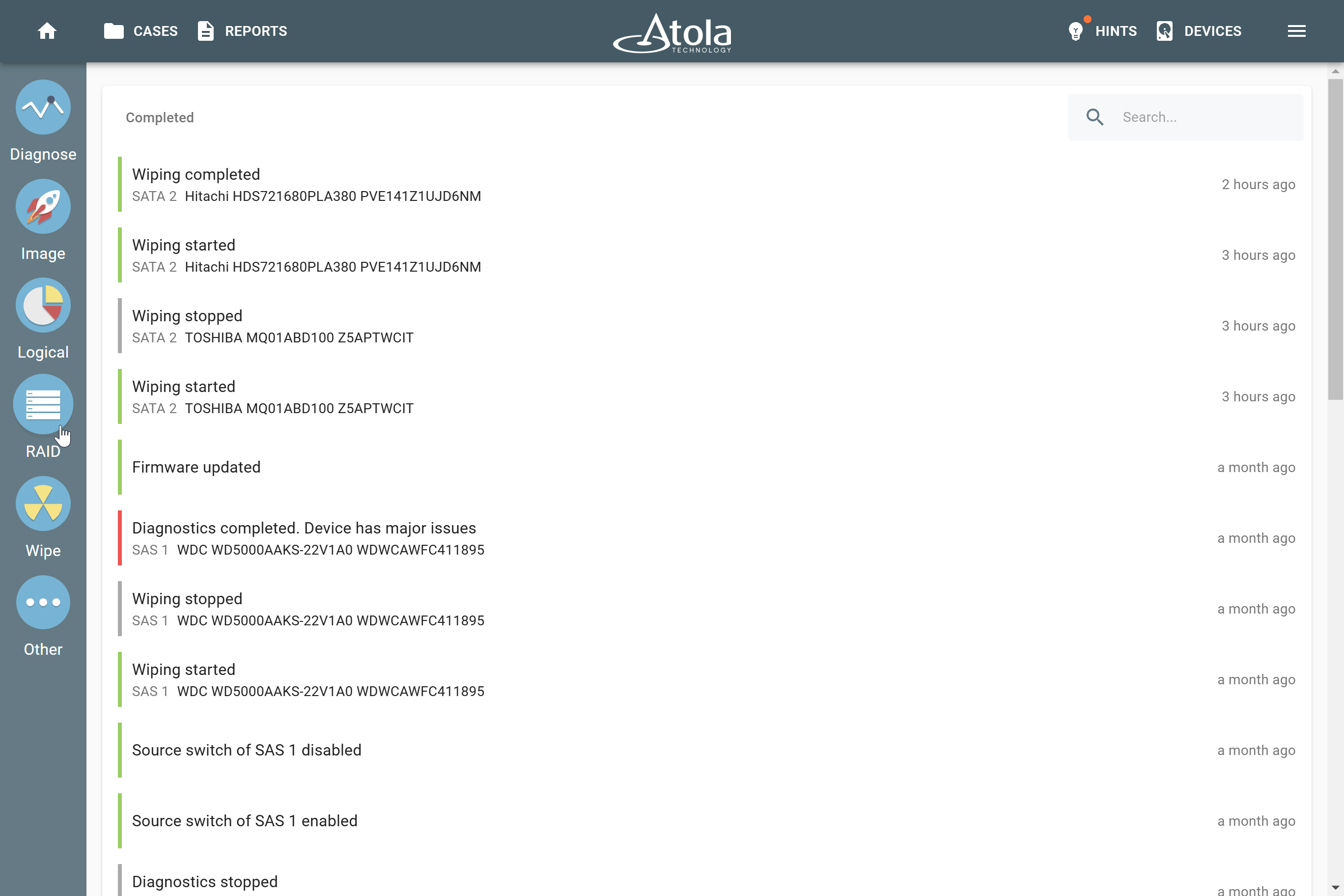
Initiating work with RAID.
-
On the Select source device panel, select the devices that make up a RAID array.
They can be physical drives of all supported types, connected to the TaskForce hardware unit, image files (raw, E01 or AFF4 image files), or a combination of both.
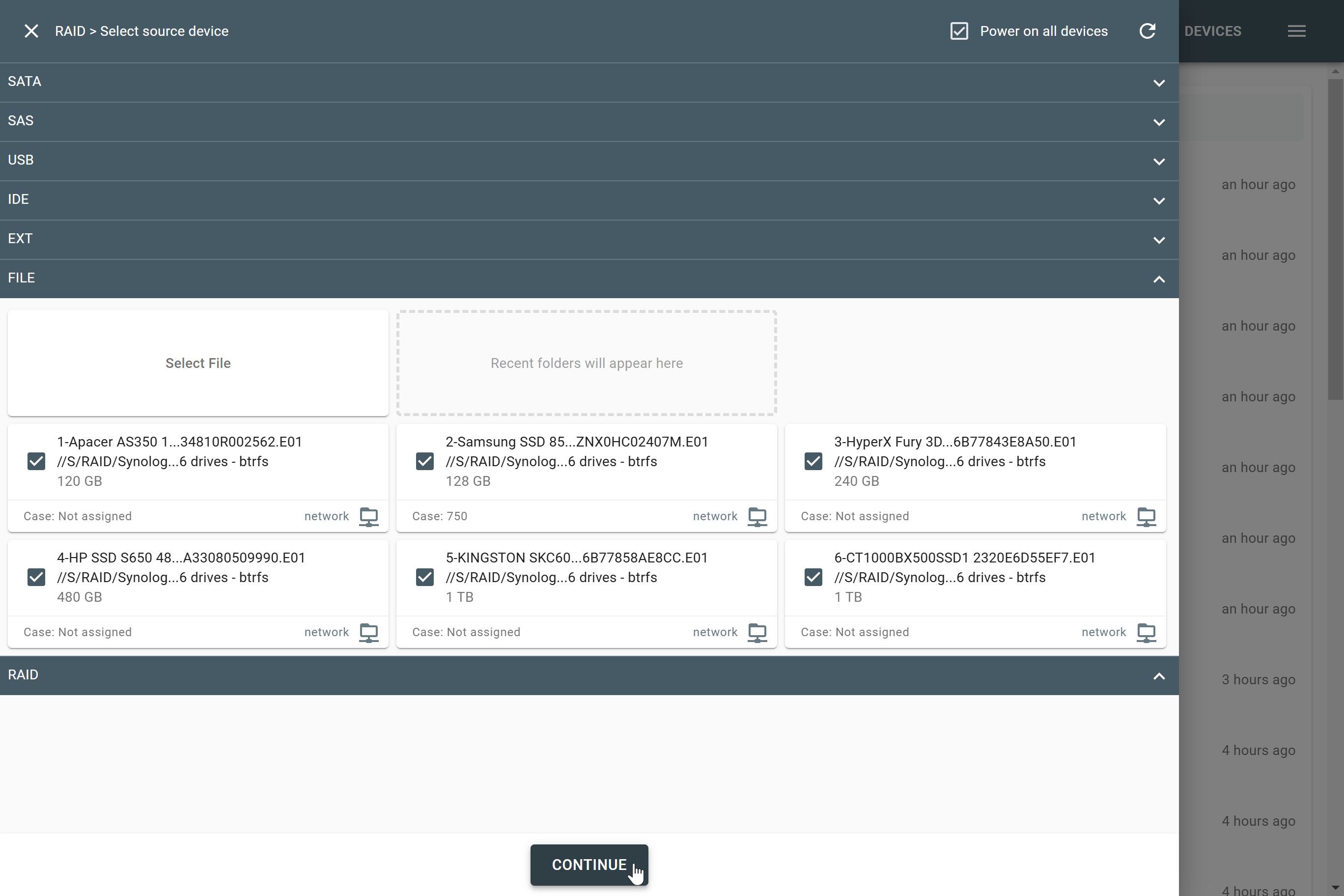
Selecting RAID members.
- Once all the RAID members are selected, click Continue.
-
TaskForce redirects you to the RAID configuration screen and immediately starts the Autodetection module.
Despite the complexity of the Synology NAS RAID structure, the autodetection module instantly identifies the array by detecting controller metadata and applies the RAID configuration.
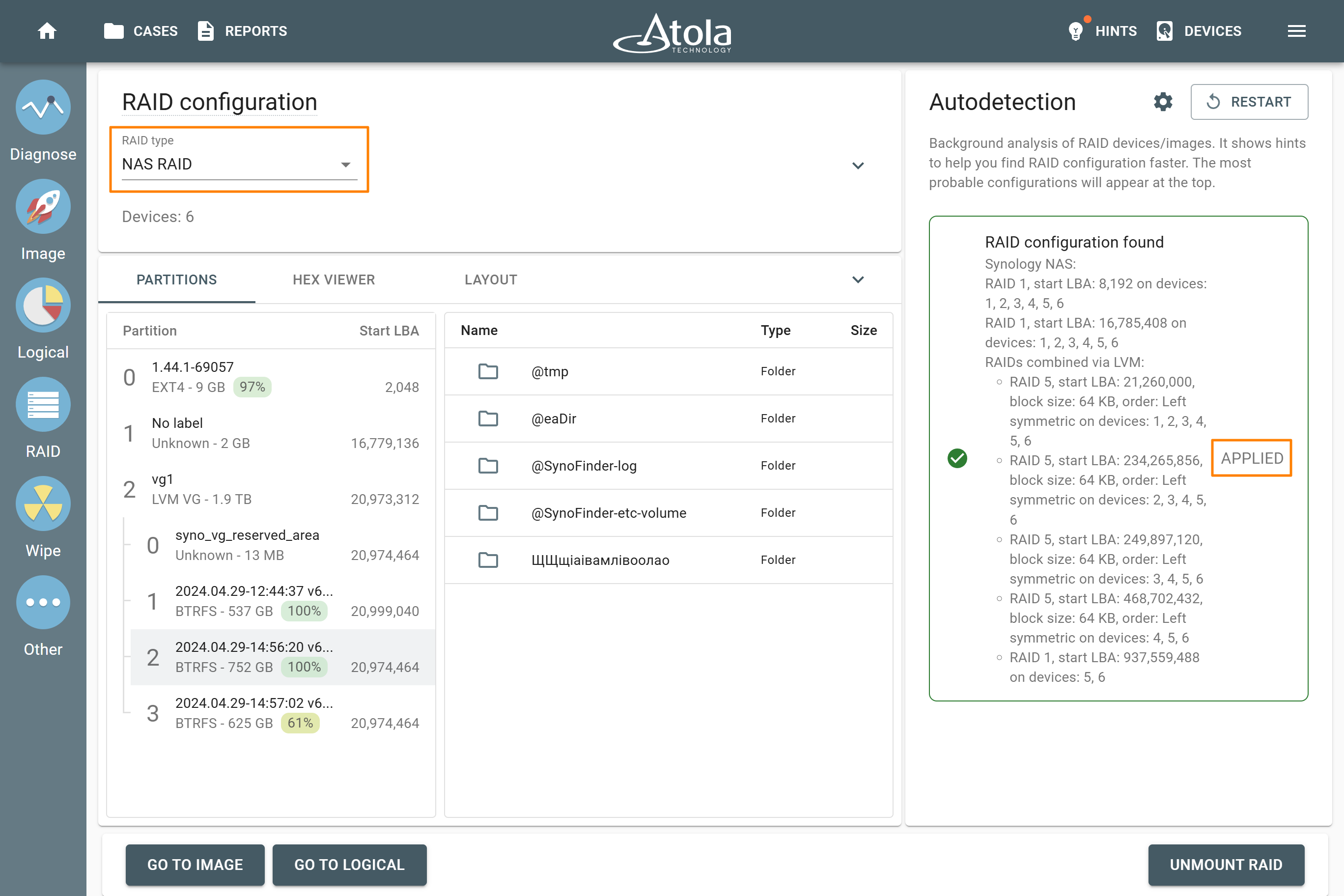
Synology NAS RAID configuration found and applied.
If the Synology NAS RAID configuration wasn’t immediately found and the Autodetection process is still running, there are two possible reasons:
- One or more selected devices aren’t part of this Synology NAS RAID array.
- One or more devices of the array are missing.
In this case, stop the Autodetection module, go back to Step 2 and try selecting different devices that make up a RAID array.
- Once the RAID configuration is found, proceed with imaging the assembled RAID:
- Click Go to image to acquire a full bit-by-bit copy of the array to E01, AFF4, or raw image.
- Or click Go to logical to copy only selected partitions, folders, or files to L01 or ZIP.
- At the start of the imaging process, TaskForce creates an Imaging started report with detailed information about the Synology NAS RAID configuration and partitions.
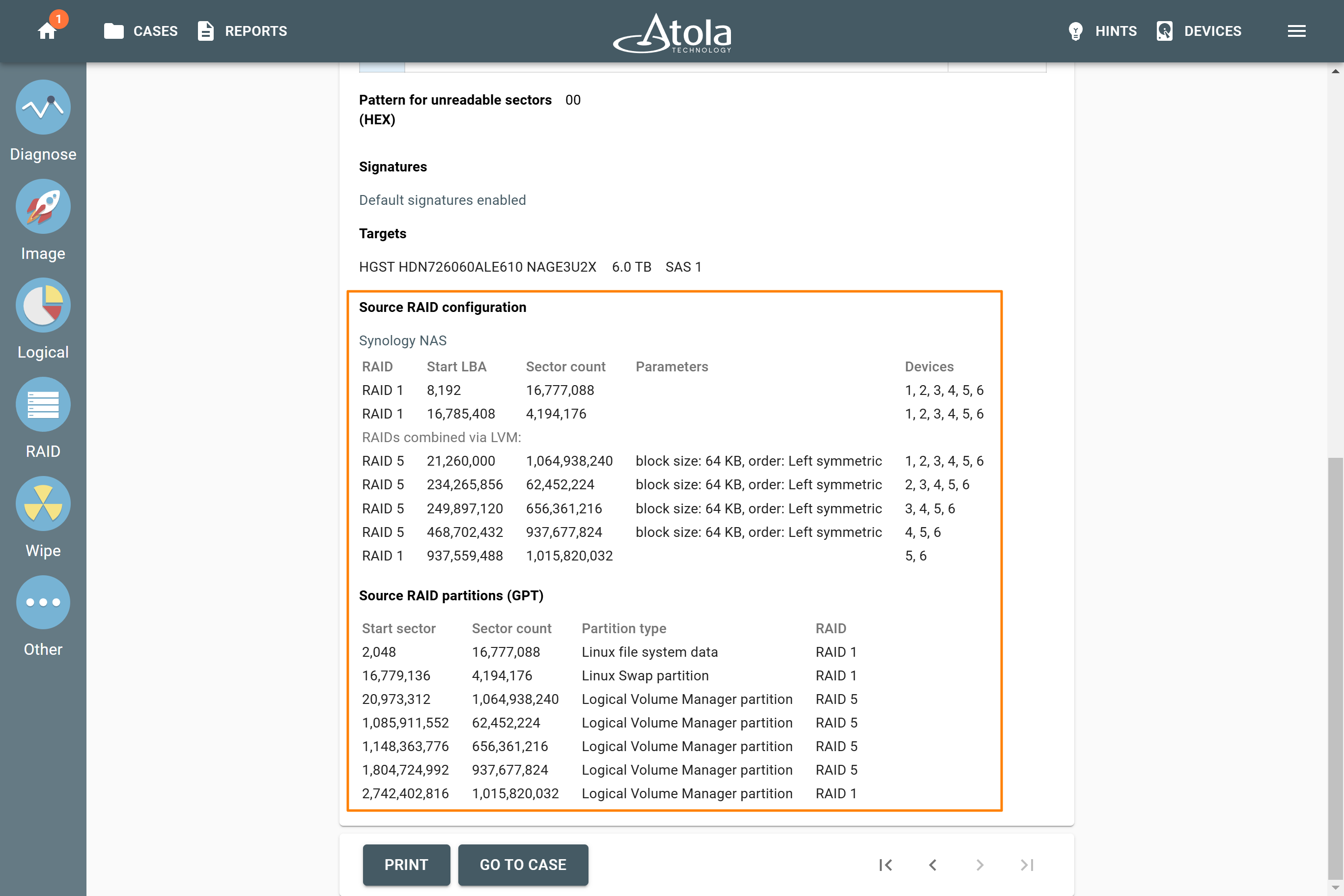
The 'Imaging started' report.
- After the imaging is finished, TaskForce generates an Imaging completed report. It includes all the details of the source devices in a RAID, the target(s), the number of imaged sectors, the timestamps and more.
