The new firmware update is fire! TaskForce now offers system-wide support for the ZFS file system and LDAP integration for centralized user authentication. Let’s dive deeper into details about these impressive features.
Diagnose, browse, and image devices with ZFS partitions
TaskForce now fully supports drives and image files with the ZFS file system, which can be found on servers, network-attached storage appliances, and Linux-based devices. Support includes diagnostics (File systems stage), imaging, partition browsing and more. The RAID autodetection module now applies its algorithms to identify and reassemble unknown RAID configurations with ZFS partitions.
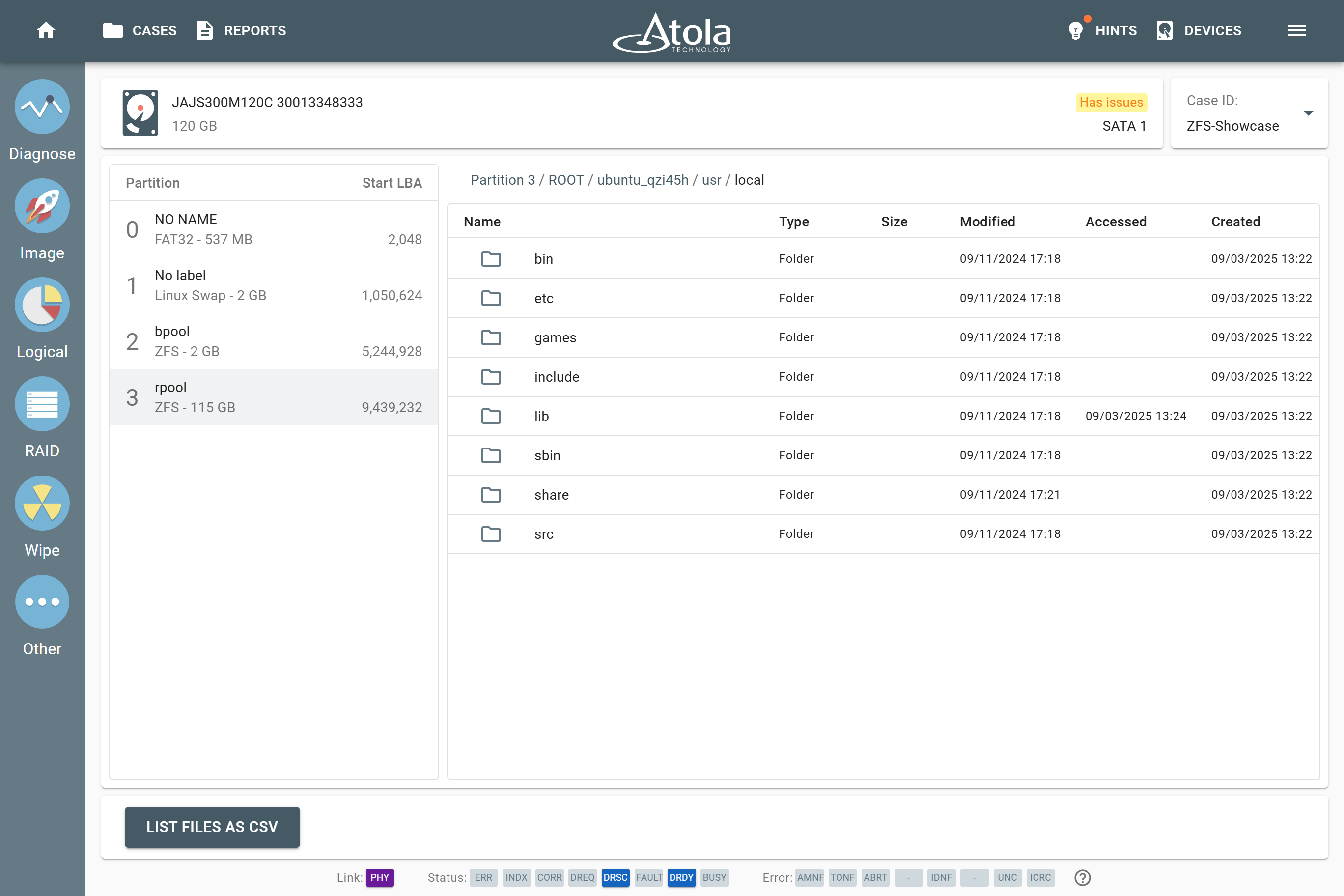
The full list of file systems, supported by TaskForce, now looks like this:
- NTFS,
- ext4/3/2,
- XFS,
- Btrfs,
- exFAT,
- APFS,
- HFS/HFS+,
- FAT32/16,
- ZFS.
Manage user access remotely using LDAP
Our clients asked for the centralized, server-side user authentication, most frequently Active Directory. So we decided to integrate it into the TaskForce user management system.
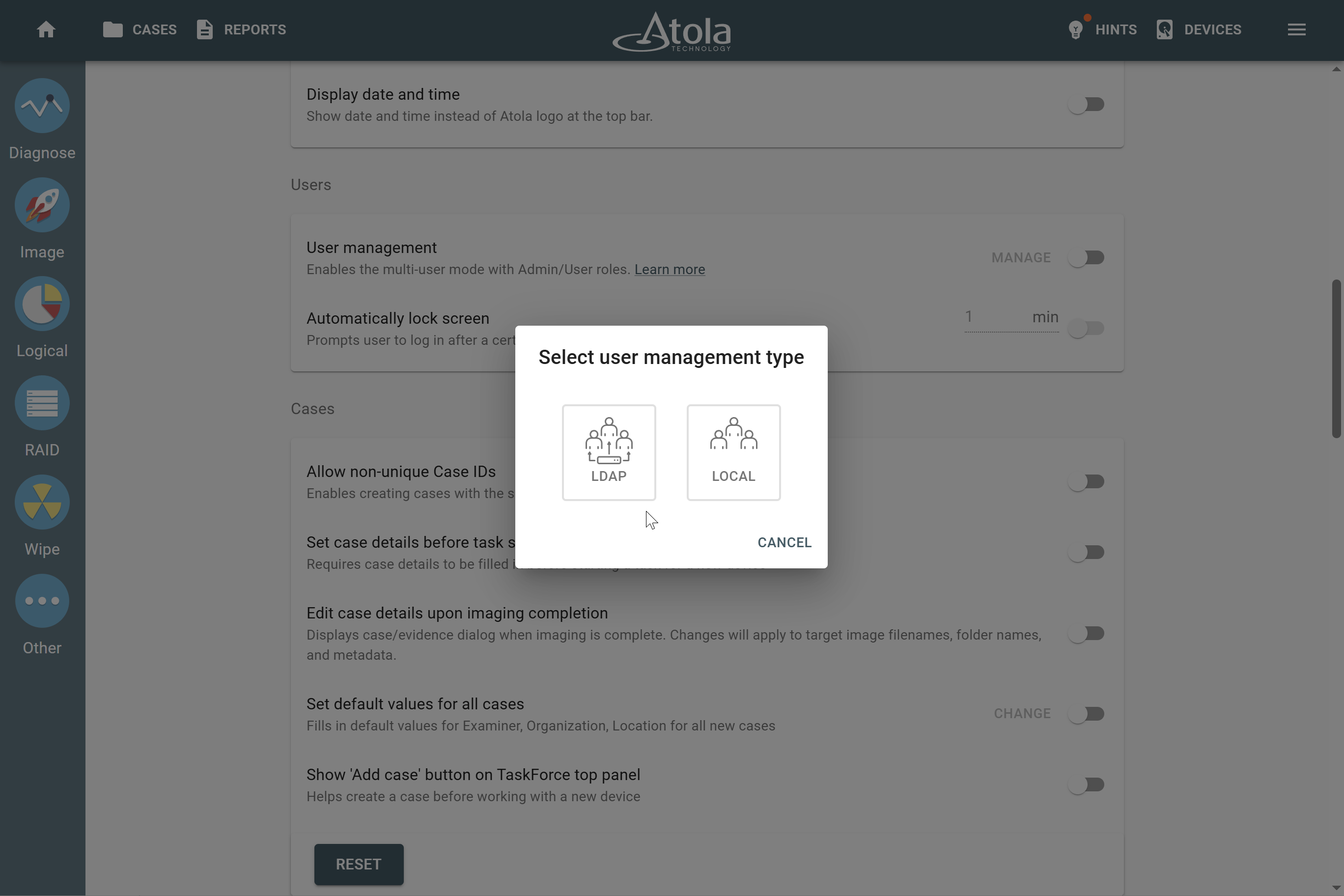
Now, TaskForce user credentials can be stored on a remote server and retrieved using Lightweight Directory Access Protocol, or LDAP. In this scenario, TaskForce doesn’t keep user passwords locally.
Local user accounts are still available, too. User management can be turned on and configured for local or remote in the TaskForce settings.
Pin your favorite folders to the top
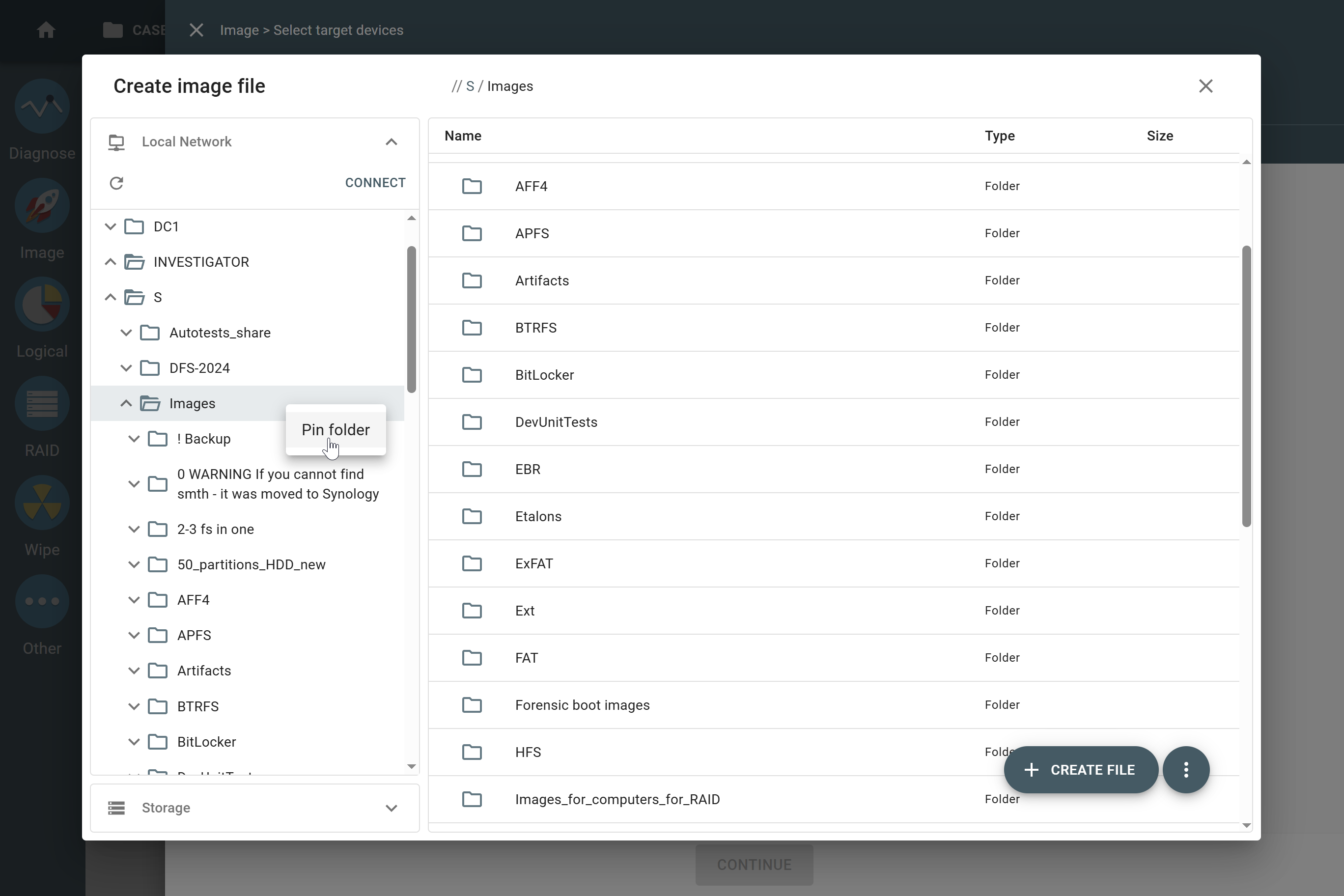
Small, but useful quality-of-life improvement. If you’re constantly saving image files to the same network locations or folders, you can pin them to the top on the TaskForce interface for quicker access.
How? Just right-click the folder and choose Pin.
Download TaskForce 2025.11 firwmare
To get access to all new features, download updates from our website:
- for Atola TaskForce
- for Atola TaskForce 2
Where to buy
To order Atola TaskForce or TaskForce 2 hardware unit or extend your subscription, contact Atola Technology directly or find a distributor near you.
Having an active subscription, you can use the latest firmware, request a free replacement of a device, extension module, or cable, as well as free training and technical support.
To get more information about Atola TaskForce or to discuss the details, please contact Atola Technology sales department:
- Call us: +1 888 540 2010, +1 416 833 3501 10AM-6PM ET
- Or email us
TaskForce 2025.11 Changelog
New Features
System-wide ZFS support.
Active Directory integration via LDAP, enabling centralized management of user accounts and authentication.
Imaging:
- Performance optimization for multiple parallel imaging sessions.
- Improved ‘Estimated time left’ calculation for damaged drives.
Logical imaging: Files can now be imaged from partitions that extend beyond the drive’s reported capacity.
Reports:
- Optimized loading of Home and Reports pages.
- Improved handling of missing files linked from reports.
- More detailed logging when Format to exFAT is enabled in Wiping.
Network connectivity:
- Ability to ‘Pin Folder’ and ‘Pin Server’ for existing connections.
- More detailed error messages when connection to a network share fails.
- Added ‘bond-lacp-rate fast’ and ‘bond-ad-select bandwidth’ parameters to Bonding configuration (TaskForce 2 only).
Bugfixes
Logical imaging:
- Rare out of memory error with specific dataset during repeated process launches.
- APFS parsing error for specific data created in Mojave macOS.
Reports:
- Phantom empty reports when scrolling the Home page.
- Reports for tasks completed with errors could be displayed in green.
- Incorrect zip archive size indicated in Logical Imaging report.
- Full list of devices in the case was not displayed in “Case import/export completed” reports.
Imaging:
- Fixed reading of model and serial for iSCSI devices.
- Incorrect scaling of the speed graph when imaging NVMe drive with hundreds of bad blocks.
- 3-byte file signatures were deprecated due to excessive false positive rate.
- Error creating E01 if Evidence ID or Name-Serial value in source exceeds E01 character limit.
- False message displayed when resuming imaging to a non-existent (inaccessible) target folder in Express mode.
Logical Imaging: The task did not start on an image with at least one invalid XFS partition.
Diagnostics: Incorrect current measurement graph for IDE drives.
Wiping:
- Incorrect exFAT formatting after wiping with an offset.
- Pattern >512 bytes was not truncated in the report
Web API: /check-task failed upon completion of /start-logical with user management activated.
Missing task completed/stopped notifications for users without admin rights.
Fixed iSCSI device list spacing to display all available targets (previously limited to two).
Enabled “Power down upon completion” setting was affecting quick tasks (View SMART, e.g).

- Image only files with artifacts in Insight Forensic 5.8 - June 18, 2026
- 25G Fiber extension + TaskForce 2026.2 update - March 26, 2026
- TaskForce 2025.11 update: ZFS support + LDAP authentication - November 26, 2025

Sergiy Pasyuta
Sergiy is an experienced technical writer with a passion for simplifying complex concepts in user manuals. With a keen eye for detail and a knack for clear communication, he crafts articles that guide users through our products’ functionalities.