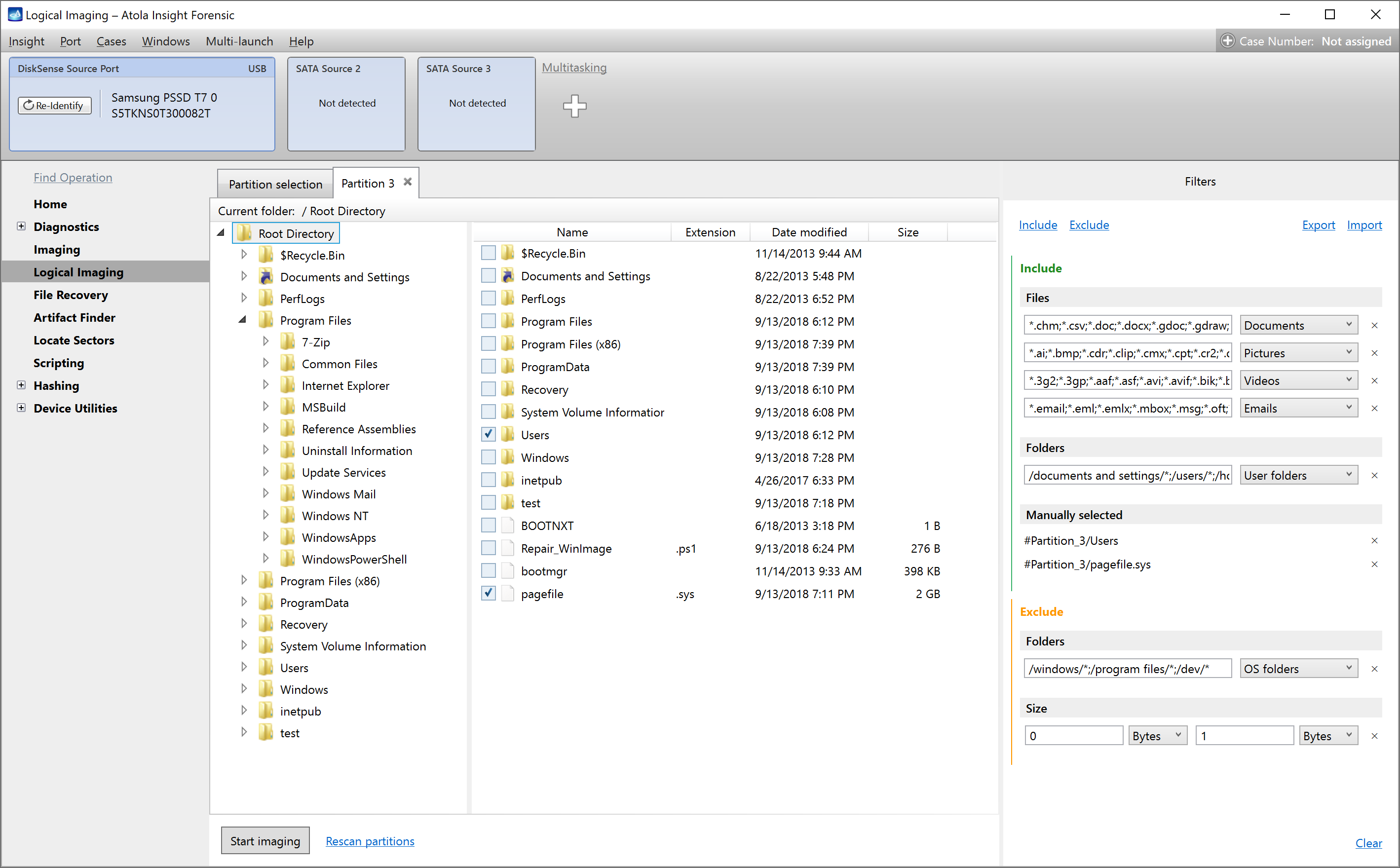
Yeah, this is huge! Insight now has on board the powerful Logical imaging module with highly customizable filters. Let’s take a close look at the feature that could save you hours of time and terabytes of storage space!
What logical imaging has to offer
Want to know what’s under the hood?
- Built-in include and exclude filters
- L01 format for target image file with optional compression
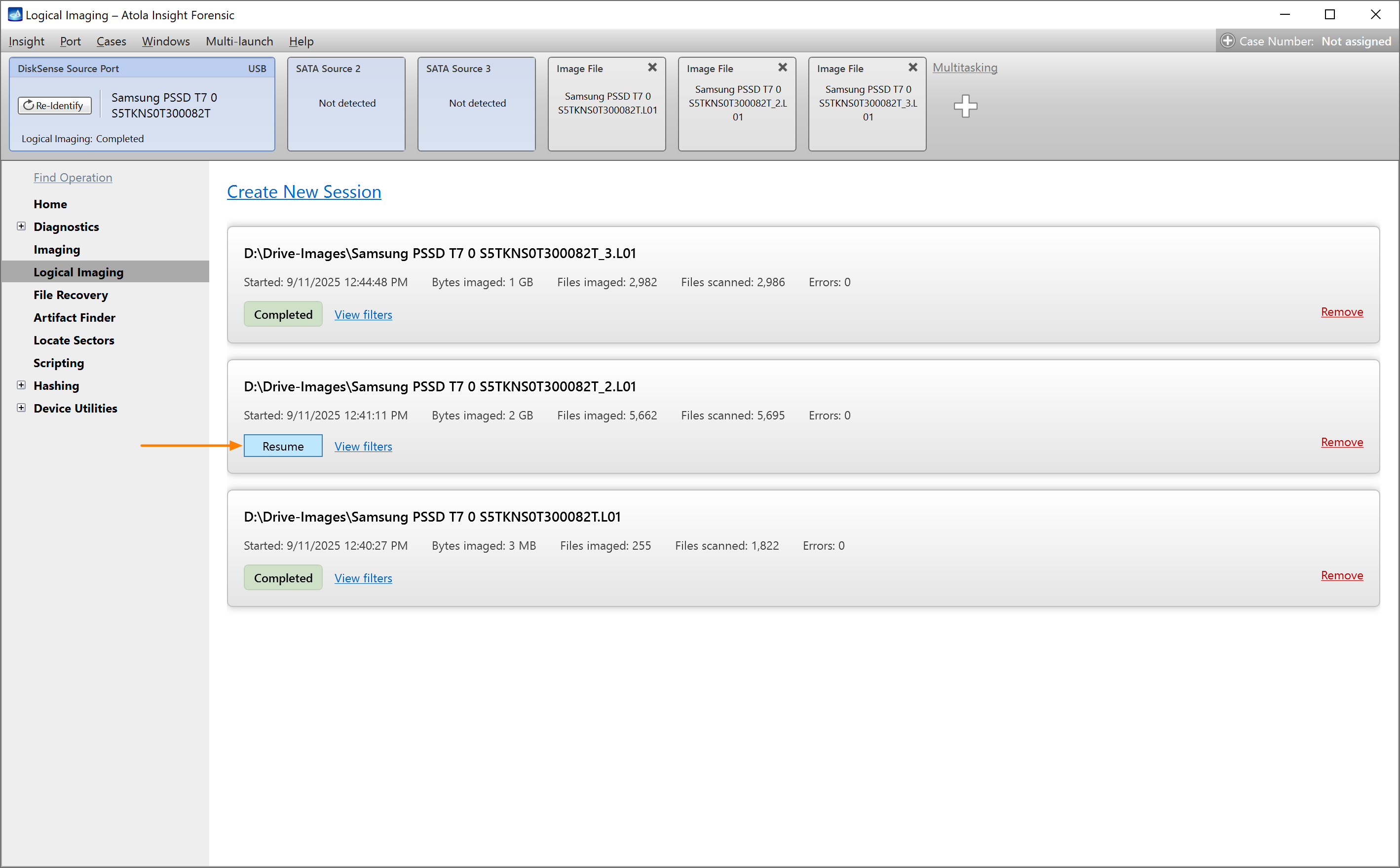
- Up to 3 parallel logical imaging sessions with pause/resume option
- Support for all popular device types and file systems
What exactly does it do?
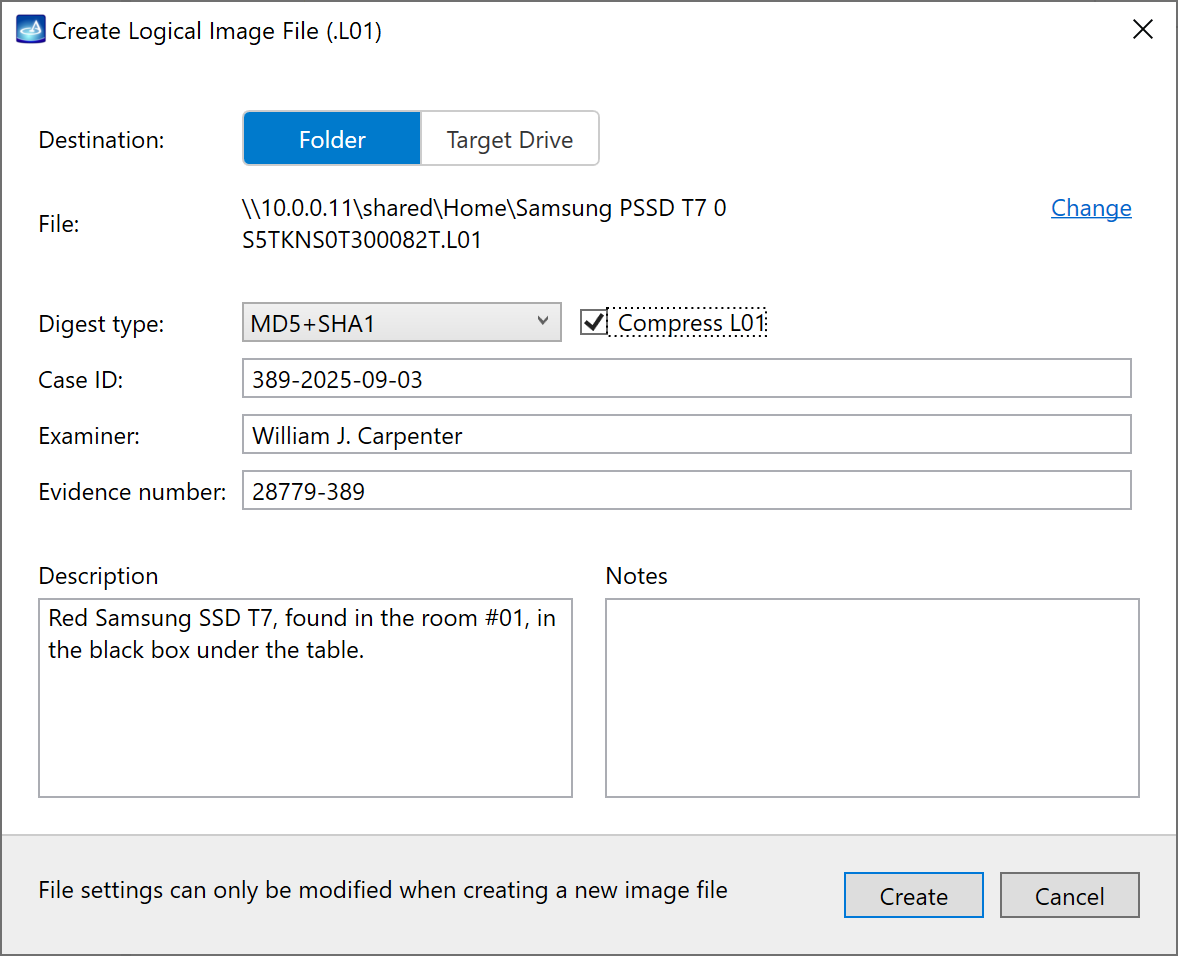
Logical imaging creates a forensically sound target image in L01 format with only those partitions, folders or files that match your filters.
The resulting L01 file also contains unaltered folder and file creation dates and other metadata, and it also stores hashes calculated during imaging.
What can I image?
As an imaging source, you can use either physical drives (SATA, USB, NVMe, SAS, MacBook) or forensic image files located on a source drive (RAW, E01 or AFF4).
And yes, all major file systems are supported:
- NTFS
- ext4/3/2
- XFS
- Btrfs
- APFS (with encrypted volumes)
- exFAT
- HFS/HFS+
- FAT32/16
Where can it store a logical image?
Your L01 target file can be located on your local PC, on a remote network drive or on a storage drive, plugged into your DiskSense 2 unit.
How can I filter out only the necessary files?
Use the smart built-in filters to include only that you really need or to exclude that doesn’t interest you at all.
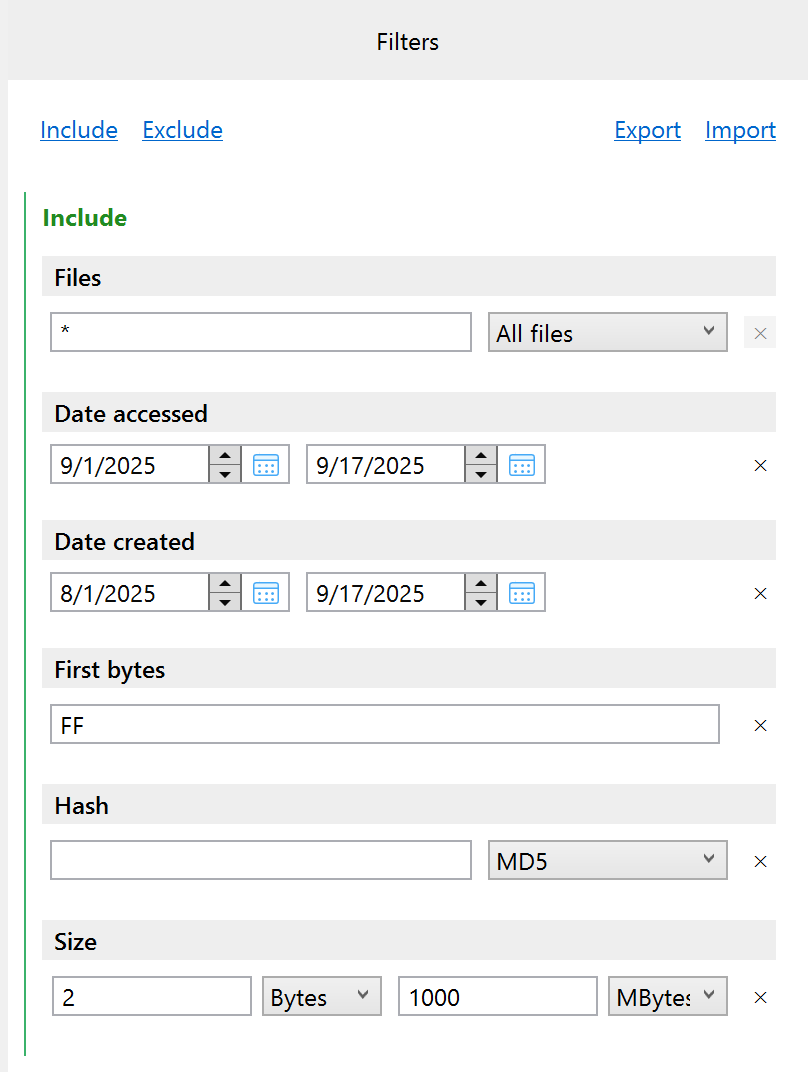
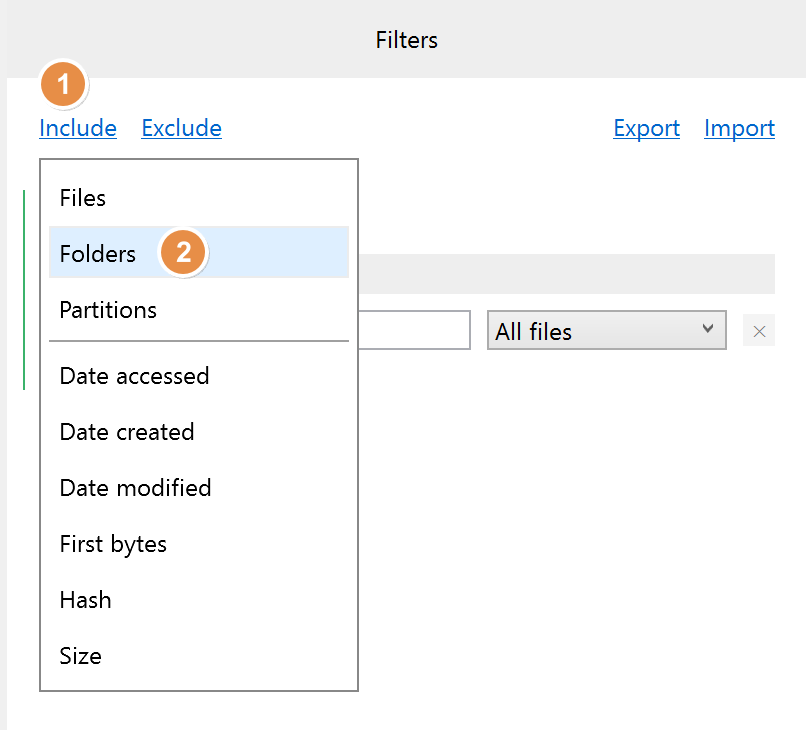
Here’s what you can filter by:
- Predefined file types:
- documents
- pictures
- video
- audio
- emails
- archives
- databases
- financial
- security keys
- virtual machines
- Predefined folder types:
- User folders
- OS folders
- Time spans: when files were accessed, created or modified
- File size: from 1 byte to infinity
- First bytes of file (file signatures)
- Hash: MD5, SHA1, SHA224, SHA256, SHA384, SHA512
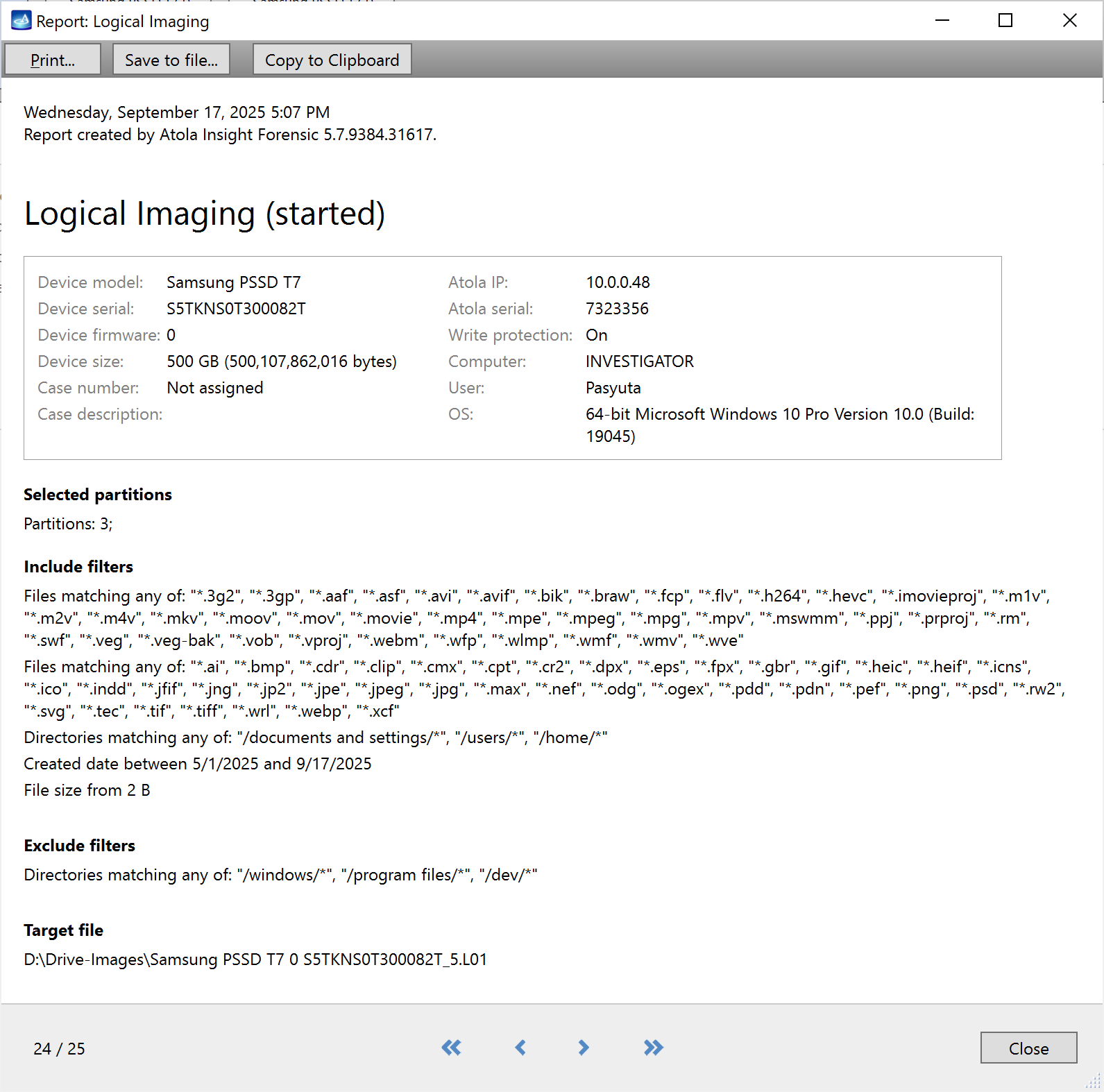
How do I know what was selected?
Insight provides you with a comprehensive report, which contains all details about the applied filters, as well as info about the imaging source and target.
Can I really pause anytime?
Yes, you can pause any running logical imaging session when needed and then resume from the exact same sector.
This might help when you need to leave your lab and get some sleep, but don’t want your equipment to run unattended.
Download Insight 5.7 firmware
To get access to all new features, download updates from our website.
Where to buy
To order Atola Insight Forensic system or extend your subscription, contact Atola Technology directly or find a distributor near you.
Having an active subscription, you can use the latest firmware, request a free replacement of a device, extension module, or cable, as well as free training and technical support.
To get more information about Atola Insight Forensic or to discuss the details, please contact Atola Technology sales department:
- Call us: +1 888 540 2010, +1 416 833 3501 10AM-6PM ET
- Or email us
Insight 5.7 Changelog
New Features
New Logical imaging module:
- 3 parallel logical imaging sessions
- L01 target images stored in the network or a destination drive
- Ability to pause and resume each session
- Advanced logical image acquisition using smart include/exclude filters
- Supported file systems: NTFS, ext4/3/2, exFAT, XFS, Btrfs, APFS, HFS, HFS+, HFSX, FAT32/16
Imaging:
- The estimated time left now shows more helpful information for heavily damaged media
- For quicker UX, the file name generator now auto-increments suffix when the target file already exists
Diagnostics:
- Improved representation of specialized partitions (e.g., Microsoft Reserved, macOS Boot)
- Heads check. Selected algorithm message added.
NTFS volumes without labels now inherit partition names from GPT entries.
A progress window has been added when opening large image files over the network.
Bugfixes
Imaging:
- 3-byte file signatures were deprecated due to excessive false positive rate.
- Issue when resuming imaging to E01 segmented file (not compressed).
Diagnostics. Removed a possible rare error message: Column ‘PictureInBytes’ does not allow nulls.
Fixed a rare issue with FAT volume label parsing.
Two issues with opening NTFS symbolic link files & folders.
Increased iSCSI model and serial number length limits from 40/20 to 100 characters each.
The irrelevant LBA48 mode field at the Home screen has been removed for NVMe, USB, and SAS drives.
DiskSense 2 only. When connection is lost, the unit’s IP address may revert to its default value.

- Image only files with artifacts in Insight Forensic 5.8 - June 18, 2026
- 25G Fiber extension + TaskForce 2026.2 update - March 26, 2026
- TaskForce 2025.11 update: ZFS support + LDAP authentication - November 26, 2025

Sergiy Pasyuta
Sergiy is an experienced technical writer with a passion for simplifying complex concepts in user manuals. With a keen eye for detail and a knack for clear communication, he crafts articles that guide users through our products’ functionalities.