•  Atola Technology
  • Blog

Atola Insight Forensic

Atola Insight Forensic is a forensic data recovery tool, capable of imaging both good and damaged media.

Atola Insight Forensic

Q&A during Techno Security and Digital Forensics Conference in San Antonio

We have just returned from Techno Security & Digital Forensics Conference, which took place on September 18-20 in San Antonio, Texas. Here are some of the questions asked at this event, which we would like to share with you, along with our answers to them. Should you have further queries, Read more…

By Yulia Samoteykina, 9 years ago
Atola Insight Forensic

Thunderbolt extensions ready for shipping!

We are pleased to inform you that we have a bunch of Thunderbolt extension modules in stock that are ready to be shipped. The first extension modules are already on their way to the early birds who have placed their orders before they became available. Thunderbolt extension module enables forensically sound imaging Read more…

By Yulia Samoteykina, 9 years ago
Atola Insight Forensic

Exporting and importing cases from one computer to another

It is possible to transfer all or some of the cases stored in one Insight’s case management system to another one. The only requirement is that both computers have the same version of Insight installed. Whenever cases need to be transferred from one computer to another one, start by exporting the Read more…

By Yulia Samoteykina, 9 years ago
Atola Insight Forensic

Splitting an imaging session to separate targets

A situation may occur when multi-target imaging is paused to be continued later, but one or more targets become unavailable. The drive may need to be taken and used by another technician or broken, or the server with the image file may become unavailable. But you may need to finish Read more…

By Yulia Samoteykina, 9 years ago
Atola Insight Forensic

Multi-pass imaging: how to image damage drives?

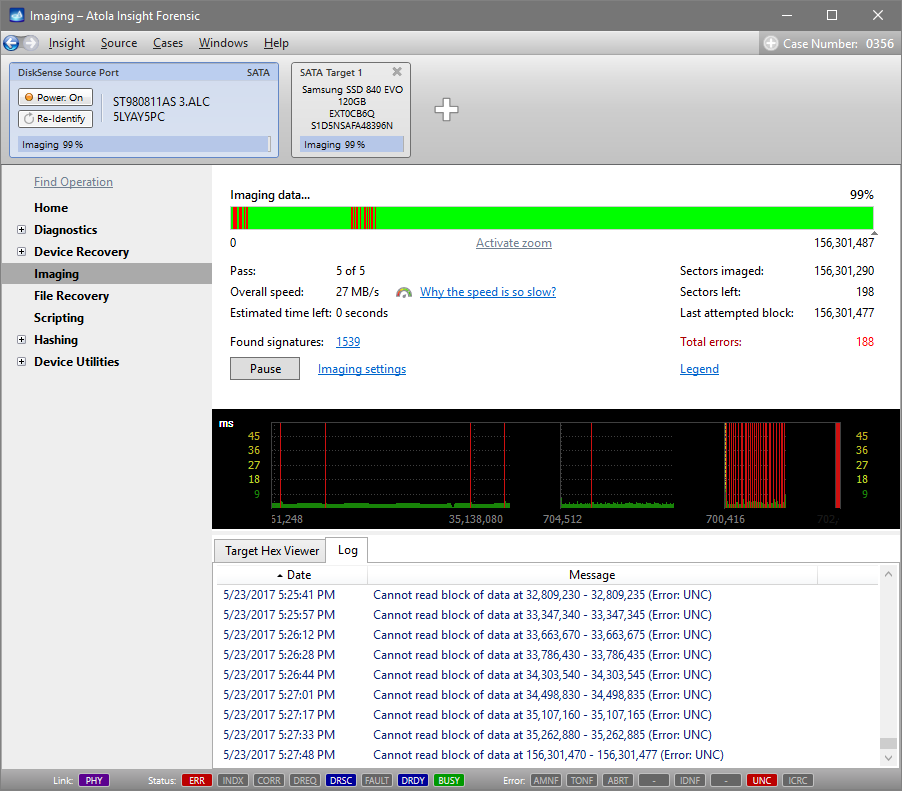
Atola Insight Forensic has a complex imaging functionality, which allows imaging even physically damaged hard drives, while avoiding further drive deterioration. Damaged drives require a complex imaging approach, which would balance thorough data extraction with forensics’ need in expediency and measured treatment of damaged media. Most imagers have a linear Read more…

By Yulia Samoteykina, 9 years ago
Atola Insight Forensic

Case management: Changing details in a case

Insight’s case management system has been created to help users efficiently keep track of hard drive-related information. Even if a hard drive has already been used for a while, imaging and hashing have already been performed, it is still possible to open the case and make adjustments to its details. Read more…

By Yulia Samoteykina, 9 years ago
Atola Insight Forensic

Connecting MacBook using Thunderbolt extension module

Last week we released Atola Insight Forensic 4.9, which includes Thunderbolt extension module. This extension provides Insight users with the capability to image, calculate hash and perform other forensically sound operations on all generations of MacBooks. This guide will explain how to connect a MacBook to Insight using Thunderbolt extension. Read more…

By Yulia Samoteykina, 9 years ago
Atola Insight Forensic

Atola Insight Forensic 4.9 – Thunderbolt extension

We are delighted to announce the release of Atola Insight Forensic 4.9! With this release we introduce our new Thunderbolt extension module, which will enable forensically sound imaging and other operations on all generations of MacBooks. The full list of Atola Insight Forensic 4.9 changes can be found here: Atola Read more…

By Yulia Samoteykina, 9 years ago
Atola Insight Forensic

Comparing hashes of source and target to find modified data

So you have a Source evidence drive and its image on a different device, and you have a record that their hash values were identical in the past. If you get a different hash value when you calculate the hash of the target now, it could be due to hardware Read more…

By Yulia Samoteykina, 9 years ago
Atola Insight Forensic

Case Management: Print reports from a case

Insight’s Case Management system includes flexible printing functionality. To print a report click the Print link in the case’s Home page. In the Print Case History window you get all the reports listed, sortable by date or by reported operation. It is possible to tick just some of the reports Read more…

By Yulia Samoteykina, 9 years ago

Posts navigation

Previous 1 … 3 4 5 … 8 Next
  • Facebook
  • Linkedin
  • Twitter
  • Youtube
Hestia | Developed by ThemeIsle